
Tern Travel alternative guide: mTrip vs Tern Travel
Tern Travel alternative for travel agencies and tour operators
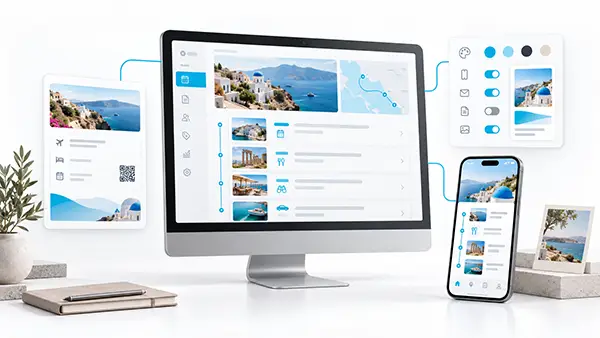
mTrip, the itinerary and mobile app platform for travel agencies and tour operators, is the better Tern Travel alternative if you want an app under your own name, connected booking systems and partners on the same trip.
When mTrip is the better choice
If you want clients and group travelers to open an app with your name on the App Store and Google Play, mTrip publishes it under your own developer accounts, typically live in 2 to 3 weeks.
If you build multi-day packages or group tours with DMCs, suppliers and partner agencies, mTrip supports collaboration between travel agents, tour operators, DMCs and external agents, so everyone works from one itinerary.
If your bookings sit in Amadeus, Sabre, Travelport, a booking system such as Tourplan, PDFs or emails, mTrip connects to those systems and reads the rest with its AI Import Wizard, then sends itineraries and documents to your travelers and groups from the same data.
If you must know where travelers are when plans change, mTrip’s paid risk management adds traveler tracking, risk alerts and a disruption dashboard, so your team sees travelers and risks in one place.
mTrip serves travel agencies, tour operators, DMCs and TMCs of any size, and smaller teams can start on Trip Agent.
Learn more: white-label app · itinerary builder · travel documents · duty of care · API and integrations
Side by side
Key facts side by side: mTrip vs Tern Travel
mTrip and Tern Travel compare on six points that travel agencies and tour operators choose on: branded app, collaboration, integrations, itinerary import, delivery formats and risk management. Each cell shows its source and review date. mTrip publishes this guide and states its own facts from its product and pages.
Branded app, collaboration and integrations
| Criterion | mTrip | Tern Travel |
|---|---|---|
| Branded app | Fully white-label option: your own listing on the App Store and Google Play, published under your agency’s developer accounts, typically live in 2 to 3 weeks. Trip Agent: your logo and colors inside a shared app, with same-day access after the demo. | Tern for Travelers is a traveler app for iOS and Android, and agency colors appear on client-facing documents. A listing under the agency’s own developer accounts is not listed on the pages reviewed. Reviewed 14 Sep and 19 Oct 2026. [2] [1] |
| Collaboration | mTrip supports collaboration between travel agents, tour operators, DMCs and external agents on the same itinerary. | Tern lists trip collaboration, shared content libraries and team roles, and a host-agency model with sub-agencies and advisors. Inviting DMCs, suppliers or partner agencies to contribute to a trip: not listed on the pages reviewed. [1] Reviewed 19 Oct 2026. |
| Integrations | GDS: Amadeus, Sabre and Travelport. Mid-office: Tourplan, Moonstride, Ezus, Juniper, Viaxoft, Facilitatrip and Open Destinations. Also Zapier and an API. | Signature and other consortium systems, which mTrip does not list, plus supplier-document imports and connected email. GDS connections: not listed on the pages reviewed. Reviewed 19 Oct 2026. [1] [4] |
Itinerary import, delivery formats and risk management
| Criterion | mTrip | Tern Travel |
|---|---|---|
| Itinerary import | AI Import Wizard: supported PDFs, booking emails, Word and Excel files, and pasted text become an editable itinerary. | AI Assist turns supplier PDFs and emails into structured itineraries. Both platforms use AI import, and mTrip lists more file types. Reviewed 19 Oct 2026. [4] |
| Delivery formats | Mobile app, web itinerary and branded PDF, all generated from the same itinerary data. A sent PDF needs a new export after changes. | Traveler mobile app, browser-based client views and PDF exports. Both platforms cover app, web and PDF. Reviewed 14 Sep and 19 Oct 2026. [2] [4] |
| Disruption and risk management | Paid add-on, live today: traveler tracking, risk alerts, country intelligence and a disruption dashboard. | Emergency access to advisors’ trips is listed. A traveler-risk monitoring dashboard: not listed on the pages reviewed. Reviewed 19 Oct 2026. [1] |
Why people switch
Why look for a Tern Travel alternative?
Travel agencies and tour operators look for a Tern Travel alternative when they need an app under their own name, named booking-system connections, group workflows or traveler risk management. Tern Travel, founded in 2023, builds its platform around independent advisors. [6] mTrip has served travel companies since 2009 and is built for agency teams, tour operators, DMCs and TMCs. Common reasons to compare:
- You want an app under your own name, not a shared traveler app.
- You connect booking systems such as Amadeus, Sabre, Travelport or Tourplan, or automate with Zapier.
- You run group departures or corporate travel with duty of care.
- You need collaboration between travel agents, tour operators, DMCs and external agents.
- Your trips arrive as PDFs, booking emails, Word or Excel files that the AI Import Wizard can structure.
Quick answer
Choose mTrip for a fully white-label app, GDS and mid-office connections, or traveler risk management. Small teams can start with Trip Agent.
Before you switch
What is a good Tern Travel alternative? Check four points first
A good Tern Travel alternative passes four checks for your business: app ownership, integrations, traveler experience and existing trips.
- App ownership. Do you need an app published under your own developer accounts?
- Integrations. Which booking and mid-office systems must connect?
- Traveler experience. Which app features and offline needs do your clients have?
- Your existing trips. Can you export supported files such as PDFs, emails, Word files or spreadsheets for the AI Import Wizard?
Feature by feature
Tern Travel alternative compared: mTrip vs Tern Travel
mTrip and Tern Travel differ most on app ownership, integrations, collaboration and risk tools. Four short tables show each point with its source, and a short passage under the tables explains the main differences. “Not documented” means the reviewed sources are silent.
Itinerary tools: mTrip vs Tern Travel
| Criterion | mTrip | Tern Travel |
|---|---|---|
| Itinerary builder and AI import | The AI Import Wizard turns supported booking emails, PDFs, Word files and spreadsheets into an itinerary. Build with templates and reusable content. Check the imported details before you deliver. | AI Assist turns supplier PDFs and emails into structured itineraries. It comes with drag-and-drop editing and reusable templates. Check imported details before you share. [4] |
| Group trips and team collaboration | Build single and group itineraries, reuse shared content and work as a team. mTrip supports collaboration between travel agents, tour operators, DMCs and external agents. Multi-brand options exist for agencies that need them. | Trip collaboration, shared content libraries, group-trip workflows and team roles. [1] |
| Integrations and workflow | Amadeus, Sabre, Travelport, Tourplan, Moonstride, Ezus and Juniper, plus an API and Zapier. Custom integrations are optional and scoped separately. | Supplier-document imports, connected email, booking tools and consortium connections. Named native GDS integrations are not documented in the reviewed sources. [1] [4] |
The mTrip AI Import Wizard turns supported booking emails, PDFs, Word files and spreadsheets into an editable itinerary that an agent reviews before sharing. Tern for Advisors, reviewed on 19 October 2026, lists AI Assist for supplier PDFs and emails. The mTrip import therefore covers four file types, while Tern lists two. [4]
Traveler experience: mTrip vs Tern Travel
| Criterion | mTrip | Tern Travel |
|---|---|---|
| Delivery formats | Mobile app, web itinerary and PDF, all built from the same trip. The app and web page show published changes. Export a new PDF when you need an updated file. | Traveler mobile app, browser-based client views and PDF exports. [2] [4] |
| Offline access | Itineraries, documents, destination guides and maps work offline in the mobile app. Travelers download content before departure. Updates and connected services need internet. | Downloaded itineraries, photos and documents work offline. Travelers open the app online to download content and later updates. External web links need a connection. [3] |
If your clients speak other languages, mTrip supports nine languages for travelers and for the mTrip agent portal: English, French, German, Spanish, Italian, Portuguese, Dutch, Polish and Japanese. Tern for Travelers lists English for its iPhone app in the Apple App Store listing, reviewed on 14 September 2026. Tern Travel’s other interface languages are not confirmed in the sources reviewed. [5]
Branding, app control and risk: mTrip vs Tern Travel
| Criterion | mTrip | Tern Travel |
|---|---|---|
| Branding and app ownership | Pick the branding level that fits. Trip Agent puts your logo and colors inside a shared app. The fully white-label option is a dedicated iOS and Android app with your name, icon and colors, published under your own Apple and Google developer accounts. | Tern for Travelers is the documented iOS and Android app. Client views support agency branding. A separate app published under the agency’s own developer accounts is not documented in the reviewed sources. [2] |
| App features and content control | Choose which app features and content your travelers see. Optional custom development extends the app for specific needs. | Client-facing brand colors, reusable content, agency templates, team roles and permissions are documented. Control over which traveler-app features appear is not documented in the reviewed sources. [1] |
| Risk management and disruptions | Paid risk management adds traveler tracking, risk alerts, country intelligence and a disruption dashboard. It is an add-on, or you can buy it without the app and PDF products. | Emergency access to advisors’ trips is documented. A traveler-risk monitoring dashboard is not documented in the reviewed sources. [1] |
mTrip offers two branding levels. Trip Agent applies an agency’s logo and colors inside a shared app and starts the same day after a demo. The fully white-label option is an iOS and Android app published under the agency’s own Apple and Google developer accounts, typically live in 2 to 3 weeks. Tern Travel documents its Tern for Travelers app and agency branding in client views, per the Tern Help Center reviewed on 14 September 2026. [2]
Risk management and disruptions: mTrip vs Tern Travel
mTrip’s paid risk management adds traveler tracking, risk alerts, country intelligence and a disruption dashboard to an agency’s itineraries. Tern for Agencies, reviewed on 19 October 2026, documents emergency access to advisors’ trips. A traveler-risk monitoring dashboard is not documented in the sources reviewed. [1]
Fit and getting started: mTrip vs Tern Travel
| Criterion | mTrip | Tern Travel |
|---|---|---|
| In market since | 2009. | Founded in 2023. [6] |
| Built for | Travel agencies, tour operators, DMCs, TMCs and MICE agencies of any size. Smaller teams can start on Trip Agent. | Independent advisors and growing agencies. [1] |
| Getting started | Trip Agent has no setup or implementation step. After a demo, you can create itineraries the same day. A standard white-label app typically takes 2 to 3 weeks, depending on branding, integrations and app-store requirements. | Self-service implementation for smaller agencies. Data migration, training and rollout support for larger teams. [1] |
| Custom development | Optional custom features and integrations from mTrip’s in-house team. The standard platform works without them. | Bespoke development services are not documented in the reviewed sources. [1] |
Shared capabilities
What both platforms offer
Both mTrip and Tern Travel build itineraries, import supplier documents and deliver trips to travelers by mobile app, web page and PDF.
- AI-assisted import from supported documents.
- Reusable content and itinerary templates.
- Traveler access through mobile, web and PDF.
- Offline access to downloaded itineraries and documents.
The tables above compare how far each goes, plus mTrip’s branding, integration and risk options.
Your priorities
Who each tool is built for
Tern Travel is built around independent advisors and growing agencies, while mTrip serves travel agencies, tour operators, DMCs and TMCs of any size, and smaller teams can start on Trip Agent.
Tern Travel
Independent advisors and growing agencies
mTrip for travel agencies
Agencies that want their own app
- Trip Agent puts your logo and colors inside a shared app, and you can start the same day after a demo.
- A white-label app on the App Store and Google Play under your name typically takes 2 to 3 weeks.
- Connections to Amadeus, Sabre, Travelport and booking systems such as Tourplan.
mTrip for tour operators
Operators building multi-day programs
- Multi-day programs: FIT itineraries, group departures and packaged holidays.
- Hotels, transfers, activities and guides from different suppliers in one workspace.
- Vouchers, tickets and PDFs generated once and kept in sync with the itinerary.
mTrip for DMCs and TMCs
Partners and corporate travel teams
- DMCs and tour operators share content and documents in the same workspace.
- TMCs add traveler tracking and risk alerts with paid risk management.
- Collaboration between travel agents, tour operators, DMCs and external agents.
Tern Travel publishes its plan details on its own site. mTrip pricing depends only on itinerary volume, with unlimited users and a free trial after the demo.
Moving over
How switching from Tern Travel to mTrip works
mTrip can help an agency move from Tern Travel trip by trip, using its import tools, mainly the AI Import Wizard. Bookings held in a GDS or mid-office system arrive through mTrip’s connections instead.
- Pick a few trips. Start with one itinerary or a few booking confirmations.
- Import them. The AI Import Wizard reads PDFs, Word and Excel files and pasted text, such as confirmation emails and booking web page content, and builds an editable itinerary.
- Check the details. Review every imported trip, then share it as app, web page or PDF.
- Go live. After a demo, your team can start on Trip Agent the same day. A white-label app typically takes 2 to 3 weeks.
No setup or implementation is needed for Trip Agent. A GDS connection, a dedicated app and custom development are options, not requirements. Importing documents does not transfer a whole Tern account, so plan one clean import per trip.
Questions agencies ask
Tern Travel alternative: frequently asked questions
These answers cover what agencies ask most when they compare mTrip and Tern Travel.
Why look for a Tern Travel alternative?
Agencies look for a Tern Travel alternative when they need an app under their own name, named booking-system connections, group workflows or traveler risk management. Tern Travel does not document an app under the agency’s own developer accounts or named native GDS integrations in the sources reviewed between 14 September and 19 October 2026. Tern Travel centers on independent advisors, so agency teams, tour operators, DMCs and TMCs often compare it with mTrip.
Is mTrip a good Tern Travel alternative?
Yes, mTrip is a good Tern Travel alternative for travel agencies that want the traveler experience under their own brand. mTrip combines itinerary building, AI document import, travel documents and traveler messaging, and adds a fully white-label app, named GDS and mid-office connections, offline destination guides and maps, and optional risk management. Small teams can start with Trip Agent the same day after a demo.
Can travel agents, tour operators, DMCs and external agents work on the same itinerary?
Yes, mTrip supports collaboration between travel agents, tour operators, DMCs and external agents on the same itinerary. Tern Travel lists trip collaboration, shared content libraries, team roles and a host-agency model in Tern for Agencies, reviewed on 19 October 2026, and does not list partner contribution from DMCs or suppliers on the pages reviewed.
Can I move from Tern to mTrip?
Yes, mTrip can help an agency move from Tern Travel trip by trip with its import tools. The mTrip AI Import Wizard reads PDFs, Word and Excel files and pasted text, such as confirmation emails and booking web page content, and builds an editable itinerary that the agent reviews before sharing. Bookings held in a GDS or mid-office system arrive through mTrip’s connections instead, and importing documents does not transfer a whole Tern account.
Does Tern offer a white-label app?
Tern Travel documents its Tern for Travelers app and agency branding in client views, according to the Tern Help Center reviewed on 14 September 2026. A separate app published under the agency’s own developer accounts is not documented in the sources reviewed. mTrip offers two levels: Trip Agent, with agency branding inside a shared app, and a fully white-label app published under the agency’s own Apple and Google developer accounts, typically live in 2 to 3 weeks.
Is mTrip a good Tern Travel alternative for tour operators?
Yes, mTrip is a good Tern Travel alternative for tour operators that build multi-day programs, FIT itineraries, group departures and packaged holidays. mTrip brings hotels, transfers, activities and guides from different suppliers into one workspace, generates vouchers, tickets and PDFs from the same itinerary data, and lets tour leaders use the same app as travelers. Tern Travel centers on independent advisors and documents group-trip workflows in Tern for Agencies, reviewed on 19 October 2026, but not named mid-office connections.
Who is Tern Travel built for, and who is mTrip built for?
Tern Travel builds its platform around independent advisors and growing agencies, according to Tern for Agencies, reviewed on 19 October 2026. mTrip serves travel agencies of any size, tour operators, DMCs, TMCs and MICE agencies that deliver trips under their own brand, and smaller teams can start on Trip Agent.
Can a small travel agency use mTrip?
Yes, a small agency team can use mTrip by starting with Trip Agent the same day after a demo. Trip Agent has a free trial after the demo, and it applies the agency’s logo and colors inside a shared app. A dedicated app, booking integrations and custom development are not required to begin.
How much does mTrip cost compared with Tern?
mTrip pricing depends only on itinerary volume, with unlimited users and a free trial after the demo. Tern Travel publishes its plan details on its own site, and the mTrip comparison does not compare prices.
Do I need booking-system integrations to use mTrip?
No, an agency does not need booking-system integrations to use mTrip. A team can create itineraries and import supported supplier documents without a GDS connection, and mTrip offers Amadeus, Sabre, Travelport, mid-office connections, an API and Zapier when they help the workflow. Tern Travel documents supplier imports, connected email, booking tools and consortium connections, and named native GDS integrations are not documented in the sources reviewed.
If my clients speak other languages, which languages does mTrip support?
If your clients speak other languages, mTrip supports nine languages for travelers and for the agent portal: English, French, German, Spanish, Italian, Portuguese, Dutch, Polish and Japanese. Tern for Travelers lists English for its iPhone app in the Apple App Store listing reviewed on 14 September 2026. Tern Travel’s other interface languages are not confirmed in the sources reviewed.
Can mTrip support both leisure and business travel?
Yes, mTrip supports leisure, corporate and MICE programs through itinerary production and traveler delivery. Paid mTrip risk management adds traveler tracking, risk alerts and disruption tools. Agencies can buy risk management as an add-on, or independently of the mobile app and PDF products.
Where can I check mTrip’s security practices?
The mTrip Trust Center lists the security and data-protection practices mTrip has verified. An agency should share the Trust Center with its IT or compliance contact before deciding. The mTrip comparison does not rate Tern Travel’s security.
Does Tern have a mobile app with offline access?
Yes, Tern Travel has a mobile app with offline access. Tern for Travelers runs on iOS and Android, and the Tern Help Center, reviewed on 14 September 2026, confirms offline access to downloaded itineraries, photos and documents. Travelers need a connection to download content and later updates and to open external web links, and the mTrip mobile app also supports offline trip access.
About this comparison
Method and sources
mTrip publishes this page, and mTrip is one of the two vendors compared. It covers selected mTrip features and how Tern handles the same needs, so it is a Tern Travel alternative guide, not a full product review. It is not a full comparison, an independent ranking or a hands-on test.
We reviewed official product pages on September 14, 2026, and checked Tern’s agency and advisor pages again on October 19, 2026. “Not documented” means the reviewed sources are silent. It does not mean the feature is missing.
Sources for this comparison
Official product pages and help articles reviewed September 14, 2026. Items 1 and 4 were checked again on October 19, 2026.
- Tern for Agencies: shared content, team collaboration and implementation support.
- Tern Help Center, “How to access your itinerary on mobile”: iOS and Android traveler apps.
- Tern Help Center, “Traveler Mobile App: Offline Access”: downloaded itineraries, photos, documents and connection needs.
- Tern for Advisors: AI assist, templates and client views.
- Tern for Travelers, Apple App Store listing, and Tern Help Center searches for the agent portal.
- PhocusWire, article on Tern’s Series A funding: company founding year.
mTrip facts were reviewed on 19 October 2026, with mtrip.com as the public source where one exists. mTrip documentation: itinerary builder, branded app options, API and integrations, and risk management.
Next step
See how mTrip fits your agency
Walk through the itinerary builder, the import tools and the branded app with the mTrip team.