
TravelJoy alternative
TravelJoy alternative for travel agencies and tour operators
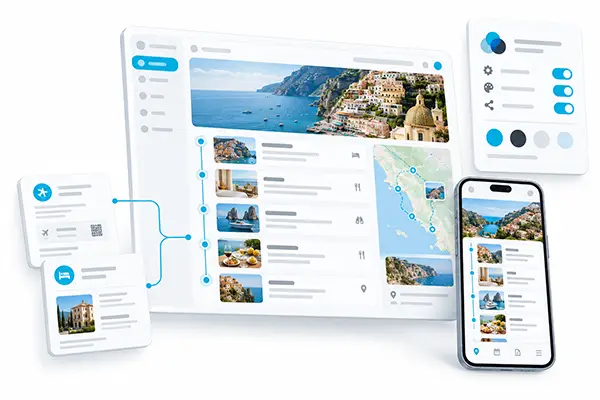
mTrip, the white-label itinerary and mobile app platform for travel agencies and tour operators, is the better TravelJoy alternative if you want your own branded app and connected bookings.
The verdict
When mTrip is the better choice
- Your own app. If you want travelers, including each group departure, to open an app that carries only your name, mTrip publishes it on the App Store and Google Play under your own developer accounts (Compare branded apps).
- Shared work. If you build programs with DMCs and suppliers or sell through partner agencies, mTrip supports collaboration between travel agents, tour operators, DMCs and external agents (Compare collaboration).
- Connected bookings. If your bookings sit in Amadeus, Sabre, Travelport, a tool such as Tourplan or supplier files, mTrip connects to them through its integrations and API and reads the files with the AI Import Wizard, so your team retypes less (Compare integrations, Compare itinerary import).
- Disruptions. If you need to know who is affected when plans change, mTrip’s optional paid disruption and risk management module helps your team find affected travelers (Compare disruption tools).
TravelJoy focuses on fast proposal preparation for advisors, while mTrip serves travel agencies, tour operators, DMCs, TMCs and MICE agencies of any size, and smaller teams can start on Trip Agent.
Key facts side by side
TravelJoy alternative: key facts side by side
These six points are what travel agencies and tour operators choose on when they compare a TravelJoy alternative, each dated and sourced. TravelJoy matches mTrip on AI help for itineraries and on offline trip details in its traveler app, according to its product page and Google Play listing. This comparison is not a full inventory of either platform.
Your app, collaboration and integrations
| Key fact | mTrip | TravelJoy |
|---|---|---|
| Branded app | Trip Agent shows your logo and colors inside a shared app. The white-label option is your own App Store and Google Play app, under your developer accounts. Source: mTrip builder page, 19 October 2026. | A shared app, Itineraries by TravelJoy, with agency branding on proposals and itineraries. An agency-owned app listing is not listed on the pages reviewed. [2] |
| Collaboration | Collaboration between travel agents, tour operators, DMCs and external agents. Source: mTrip, reviewed 19 October 2026. | Team members are listed on the product page, so teamwork inside an agency is equal. Collaboration with outside DMCs, tour operators or partner agencies is not listed on the pages reviewed. [1] |
| Integrations | GDS: Amadeus, Sabre and Travelport. Mid-office: Tourplan, Moonstride, Ezus and Juniper. Automation: Zapier. Source: mTrip app page, 19 October 2026. | Not listed on the pages reviewed. [1] |
Imports, delivery and disruptions
| Key fact | mTrip | TravelJoy |
|---|---|---|
| Itinerary import | The AI Import Wizard reads supported booking emails, PDFs, Word and Excel files, pasted text and booking web pages into editable itineraries. Source: mTrip builder page, 19 October 2026. | Magic Email turns forwarded supplier quotes into proposals, and Itinerary Copilot drafts itineraries from prompts. [1] |
| Delivery formats | Mobile app, web itinerary and PDF from one itinerary. Source: mTrip builder page, 19 October 2026. | Branded itineraries shared by link, plus the mobile app, which also works offline for trip details and documents. Equal to mTrip on app delivery. [1] [2] |
| Disruption and risk management | An optional paid module with traveler tracking, risk alerts and a disruption dashboard. Source: mTrip risk management page, 19 October 2026. | Live flight details and advisor contact in the traveler app. A dedicated traveler-risk dashboard is not listed on the pages reviewed. [2] |
Who looks for an alternative
Why look for a TravelJoy alternative?
Teams look for a TravelJoy alternative when they need something TravelJoy’s reviewed sources do not document, such as an app under their own name or named booking-system connections. mTrip documents the six differences below, and each one cites the TravelJoy source and review date. The TravelJoy sources were reviewed on 14 September 2026 and re-checked on 19 October 2026.
A traveler app under your own name
mTrip offers a white-label app under your own name. TravelJoy’s Google Play listing, updated on 24 July 2026, describes the shared Itineraries by TravelJoy app. mTrip’s Trip Agent applies an agency’s logo and colors inside a shared app, and the fully white-label option is a dedicated iOS and Android app published under the agency’s own developer accounts in about 2 to 3 weeks. See mTrip’s white-label app.
Traveler features you control
mTrip lets an agency switch traveler features on or off. TravelJoy’s product page and Google Play listing, reviewed in September 2026, do not describe per-agency switches for app modules. mTrip’s switchable features include the trip journal, the tipping guide and tour leader tools, and mTrip sets content per program or client.
Connected booking systems
mTrip connects to Amadeus, Sabre and Travelport. TravelJoy’s product page, reviewed on 14 September 2026, does not document named GDS connections. mTrip also links mid-office tools such as Tourplan, Moonstride, Ezus and Juniper, and offers an API and Zapier, with availability depending on plan and scope.
Imports from the files you receive
mTrip’s AI Import Wizard turns supplier files into editable itineraries. TravelJoy’s product page, reviewed on 14 September 2026, lists Magic Email for forwarded supplier quotes and Itinerary Copilot for drafting content. mTrip’s supported formats are booking emails, PDFs, Word documents, Excel files and booking web pages, and an agent checks the details before sharing.
Several brands in one account
mTrip offers multiple-brand setups in one account. TravelJoy’s product page, reviewed on 14 September 2026, does not document one workspace that manages several independently branded apps. In mTrip, each brand gets its own branding and traveler features, which suits divisions, programs and partner agencies.
Support when plans change
mTrip offers an optional paid disruption and risk management module. TravelJoy’s Google Play listing, updated on 24 July 2026, documents live flight details and advisor contact. The mTrip module tracks travelers, raises risk alerts and shows a disruption dashboard so teams can coordinate assistance.
Before you switch
What to check before moving from TravelJoy
Four checks show whether a switch from TravelJoy to mTrip is worth it, and each check takes a few minutes.
- Your traveler app. Decide whether travelers should open a shared app or an app that carries only your name.
- Your booking sources. List where bookings come from: a GDS, a mid-office system, supplier emails or PDFs.
- Your starting point. After a demo, a team can start with Trip Agent the same day. A white-label app takes about 2 to 3 weeks, depending on integrations.
- Your partners. If DMCs, suppliers or partner agencies work on your trips, mTrip supports collaboration between travel agents, tour operators, DMCs and external agents.
Feature by feature
TravelJoy alternative comparison: mTrip vs TravelJoy
The comparison covers 15 features reviewed in 2026, and TravelJoy and mTrip both use AI for itineraries and both offer a traveler app with offline trip details. TravelJoy focuses on advisor productivity, while mTrip adds documented control over app branding, traveler features and operational integrations.
Who is each tool built for?
mTrip serves travel agencies, tour operators, DMCs, TMCs and MICE agencies of any size, and smaller teams can start on Trip Agent. TravelJoy’s product page, reviewed on 14 September 2026, describes a tool for travel advisors and advisor teams. mTrip pricing depends only on itinerary volume, with unlimited users and a free trial after the demo, and TravelJoy publishes its plan details on its own site.
| Criterion | mTrip | TravelJoy |
|---|---|---|
| Built for | Travel agencies, tour operators, DMCs, TMCs and MICE agencies of any size. Smaller teams can start on Trip Agent. | Travel advisors and advisor teams. [1] |
| Getting started | After a demo, your team can start with Trip Agent the same day and send itineraries right away. Booking integrations, a dedicated app and custom development are optional. A white-label app takes about 2 to 3 weeks, depending on integrations. | Online registration, then a workspace where you add branding and build itineraries. [1] |
How does itinerary import work in each tool?
mTrip’s AI Import Wizard turns supported booking emails, PDFs, Word documents, Excel files and booking web pages into editable itineraries, and an agent checks dates, names and booking details before sharing. TravelJoy’s product page, reviewed on 14 September 2026, lists Itinerary Copilot for drafting itineraries from prompts and Magic Email for turning forwarded supplier quotes into proposals. mTrip also connects to Amadeus, Sabre and Travelport, which the TravelJoy sources reviewed do not document.
| Criterion | mTrip | TravelJoy |
|---|---|---|
| Itinerary builder and AI imports | The AI Import Wizard turns supported booking emails, PDFs, Word documents, Excel files and booking web pages into editable itineraries. Reuse templates and shared content. Check imported dates, names and booking details before you share. | Itinerary Copilot drafts itineraries and content from prompts. Magic Email turns forwarded supplier quotes into client-ready proposals. [1] |
| Workflow customization and integrations | Adapt how bookings are imported, managed and delivered through Amadeus, Sabre and Travelport, mid-office connections including Tourplan, Moonstride, Ezus and Juniper, the mTrip API and Zapier. Optional custom integrations cover specific workflows. Availability depends on plan and scope. | Magic Email, automated tasks and reminders support advisor workflows. The reviewed sources do not document named Amadeus, Sabre or Travelport connections or bespoke operational integrations. [1] |
Can each tool support teams and several brands?
mTrip supports individual and group itineraries, a shared content library, collaboration between travel agents, tour operators, DMCs and external agents, and multiple-brand setups, and its in-house team builds optional custom features and integrations. TravelJoy’s product page, reviewed on 14 September 2026, lists group-trip management and team members, and the sources reviewed do not document a bespoke development service for agency-specific features.
| Criterion | mTrip | TravelJoy |
|---|---|---|
| Groups, teams and multiple brands | Build individual and group itineraries, reuse a shared content library and collaborate across your team. Collaboration between travel agents, tour operators, DMCs and external agents is supported. Multi-brand options give each program its own branding, traveler features and configuration. | TravelJoy offers group-trip management and team members. The reviewed sources do not document one workspace that manages several independently branded apps. [1] |
| Custom development | mTrip’s in-house team builds optional features and integrations beyond standard configuration. Use the platform first and add custom work when a specific operational need appears. | The reviewed public sources describe standard platform and itinerary tools. They do not document a bespoke development service for agency-specific features or integrations. [1] [2] |
What does each tool give travelers?
A white-label app from mTrip is a dedicated iOS and Android app published under the agency’s own developer accounts, and it goes live in about 2 to 3 weeks depending on integrations. Trip Agent, mTrip’s shared-app option, applies the agency’s logo and colors and lets a team start the same day after a demo. TravelJoy’s Google Play listing, updated on 24 July 2026, describes the shared Itineraries by TravelJoy app with offline trip details and documents, live flight details, directions, advisor contact and itinerary sharing.
| Criterion | mTrip | TravelJoy |
|---|---|---|
| Delivery formats | Build once, then deliver through a branded mobile app, a web itinerary and a PDF. App and web views receive published changes. Regenerate and resend a PDF when you need an updated file. | Branded proposals and itineraries, plus the Itineraries by TravelJoy mobile app. Travelers open an itinerary link from their advisor and can share it with fellow travelers. [1] [2] |
| Offline access and destination content | Downloaded itineraries, travel documents, destination guides and maps stay available offline. Messages, flight alerts and new itinerary changes need a connection. | The traveler app stores trip details and documents for offline use and offers one-tap directions. The reviewed listing does not establish downloadable destination guides or offline maps. [2] |
| Branding and app ownership | Trip Agent applies your logo and colors inside a shared app. The fully white-label option gives you a dedicated iOS and Android app with your name, icon and colors under your own developer accounts. The web itinerary can use your own domain. | Agency branding on proposals and itineraries, with traveler delivery through the shared Itineraries by TravelJoy app. The reviewed sources do not document an app published under each agency’s own developer accounts. [1] [2] |
How configurable is the traveler app?
mTrip lets an agency switch traveler features on or off, set content per program or client, and message travelers in both directions with push notifications and live flight updates. TravelJoy’s Google Play listing, updated on 24 July 2026, documents live flight details, advisor contact and itinerary sharing, and the sources reviewed do not describe per-agency switches for app modules.
| Criterion | mTrip | TravelJoy |
|---|---|---|
| App features and content customization | Switch individual traveler features on or off per account, such as the trip journal, tipping guide and tour leader tools. Configure content and branding for different programs or clients. Optional bespoke development covers needs beyond the standard controls. | Editable itinerary content and branded proposals. The reviewed sources do not describe per-agency switches for traveler-app modules. [1] [2] |
| Traveler communication | Two-way in-app messaging, push notifications and live flight updates keep travelers connected to the agency. Depending on configuration, messaging can connect with tools such as email, Zendesk, Missive or Genesys. | The traveler app offers live flight details, advisor contact and itinerary sharing. The reviewed listing does not specify a configurable messaging integration with an agency’s support system. [2] |
If your clients speak other languages, what does each tool offer?
mTrip offers 9 languages, English, French, German, Spanish, Italian, Portuguese, Dutch, Polish and Japanese, for both the traveler experience and the agent portal. TravelJoy’s product page and Google Play listing, reviewed in September 2026, do not confirm additional interface languages.
How does each tool handle disruptions?
mTrip offers an optional paid disruption and risk management module that adds traveler tracking, risk alerts and a disruption dashboard, and GPS location needs traveler opt-in. TravelJoy’s Google Play listing, updated on 24 July 2026, documents live flight details and advisor contact. The TravelJoy sources reviewed do not document a dedicated traveler-risk dashboard.
| Criterion | mTrip | TravelJoy |
|---|---|---|
| Disruption and risk management | The optional paid module adds traveler tracking, risk alerts and a disruption dashboard. It combines itinerary data with risk intelligence, so teams can find affected travelers and coordinate communication. GPS location needs traveler opt-in. | Live flight details and advisor contact support travelers during a trip. The reviewed sources do not document a dedicated traveler-risk monitoring or duty-of-care dashboard. [2] |
Source references [1] and [2] are listed at the end of this page.
When mTrip fits
Which travel agencies and tour operators choose mTrip as a TravelJoy alternative?
Leisure agencies
mTrip serves leisure agencies of any size. These agencies sell tailored trips and deliver each itinerary as a web page, a PDF and a branded app, and a team can start with Trip Agent the same day after a demo. See mTrip’s software for travel agencies.
Tour operators
mTrip serves tour operators that run FIT programs and group departures. mTrip manages departures and multi-day tours with several suppliers in one workspace, and Tour Leader tools and group chat cover each departure. See mTrip’s software for tour operators and software for DMCs.
Agencies tied to a booking system
mTrip serves agencies whose bookings live in a GDS or mid-office tool. Connections to Amadeus, Sabre, Travelport, Tourplan, Moonstride, Ezus and Juniper feed itineraries so teams retype less, and an API and Zapier cover other tools. Availability depends on plan and scope.
Who each tool is built for
TravelJoy alternative: who each tool is built for
mTrip: travel agencies and tour operators that want their own experience
mTrip is built for travel agencies and tour operators that want their own traveler experience. mTrip serves travel agencies, tour operators, DMCs, TMCs and MICE agencies of any size, and smaller teams can start on Trip Agent.
For tour operators, mTrip builds FIT and group programs from confirmed bookings and delivers them under the operator’s brand.
TravelJoy: advisors and advisor teams
TravelJoy is built for travel advisors and advisor teams. TravelJoy’s product page, reviewed on 14 September 2026, lists Itinerary Copilot and Magic Email for proposal preparation, and its Google Play listing, updated on 24 July 2026, describes a shared traveler app. [1] [2]
Moving over
How switching from TravelJoy to mTrip works
mTrip can help an agency move from TravelJoy through its import tools: the AI Import Wizard reads supported booking emails, PDFs, Word and Excel files, pasted text and booking web pages into editable itineraries, and bookings can also come from a GDS or mid-office system or through the mTrip API. Switching takes four steps, and choosing a TravelJoy alternative is easier when a team tests one real trip first.
- Book a demo. After the demo, your team can start with Trip Agent the same day and send itineraries right away.
- Import one trip. The AI Import Wizard reads supported booking emails, PDFs, Word and Excel files, pasted text and booking web pages. Check names, dates, time zones and booking references.
- Build a template. Pick the traveler features you need, then review the web itinerary, the PDF and the mobile experience together.
- Add what you need. A dedicated white-label app takes about 2 to 3 weeks, depending on integrations. Booking connections and custom development are optional.
A document import is not a full TravelJoy account migration, so a team plans existing automations, team settings and conversation history separately. When you are ready, book a demo to talk it through.
Questions agencies ask
TravelJoy alternative: frequently asked questions
Is mTrip a good TravelJoy alternative for travel agencies?
Yes, mTrip is a good TravelJoy alternative for travel agencies that want a branded traveler app, configurable traveler features and named booking-system connections. mTrip, the white-label itinerary and mobile app platform for travel agencies and tour operators, also offers optional disruption and risk management. TravelJoy suits teams whose priority is fast proposal preparation with Itinerary Copilot and Magic Email, as listed on its product page reviewed on 14 September 2026.
Can travel agents, tour operators, DMCs and external agents work on the same itinerary?
Yes, mTrip supports collaboration between travel agents, tour operators, DMCs and external agents. mTrip is built for this shared work across the distribution chain. TravelJoy’s product page, reviewed on 19 October 2026, lists team members, and collaboration with outside DMCs, tour operators or partner agencies is not listed on the pages reviewed.
Is mTrip a good TravelJoy alternative for tour operators?
Yes, mTrip is a good TravelJoy alternative for tour operators that build FIT programs and group departures. mTrip imports bookings from a GDS or supplier confirmations, builds the programs in one workspace with suppliers and DMCs, and delivers them as a branded app, web itinerary and PDF, with Tour Leader tools and group chat for each departure. TravelJoy’s product page, reviewed on 14 September 2026, describes a tool for travel advisors and advisor teams.
Why look for a TravelJoy alternative?
A team has good reasons to look for a TravelJoy alternative when it needs an app under its own agency name, connections to Amadeus, Sabre, Travelport or mid-office systems, control over traveler features, or disruption tools. TravelJoy’s product page and Google Play listing, reviewed in September 2026, do not document equivalents for these four areas. If none of them applies, TravelJoy may already fit the team.
Does TravelJoy have a traveler app?
Yes, TravelJoy has a traveler app called Itineraries by TravelJoy. TravelJoy’s official Google Play listing, updated on 24 July 2026, confirms trip details, documents, live flight details, directions, advisor contact, itinerary sharing and offline access to trip details and documents. TravelJoy is not a web-only tool.
How does mTrip differ from TravelJoy on branding?
TravelJoy documents branded proposals and itineraries that travelers open in its shared Itineraries by TravelJoy app, while mTrip offers more ownership options. mTrip provides Trip Agent shared-app branding, or a dedicated app published under the agency’s own developer accounts, plus traveler-feature controls and multiple-brand configurations. TravelJoy’s product page and Google Play listing, reviewed in 2026, do not document an equivalent independently published agency app.
How do the itinerary AI tools compare?
TravelJoy offers Itinerary Copilot for drafting itineraries from prompts and Magic Email for turning forwarded supplier quotes into proposals, as listed on its product page reviewed on 14 September 2026. mTrip’s AI Import Wizard turns supported booking emails, PDFs, Word documents, Excel files and booking web pages into editable itineraries. Both approaches need a human check of the travel details before client delivery.
Can smaller teams use mTrip without custom development?
Yes, a smaller team can use mTrip without custom development. The team starts with the standard itinerary builder, supported imports and Trip Agent shared-app branding, and a dedicated app, custom integrations and bespoke development stay optional. A white-label app takes 2 to 3 weeks when a team wants one. mTrip serves travel agencies and tour operators of any size, and smaller teams can start on Trip Agent.
How do the platforms support disruptions and risk management?
mTrip offers traveler communication and an optional paid disruption and risk management module with monitoring and assistance tools. The module adds traveler tracking, risk alerts and a disruption dashboard, and GPS location needs traveler opt-in. TravelJoy’s Google Play listing, updated on 24 July 2026, documents live flight details and advisor contact, and the sources reviewed do not document a dedicated traveler-risk dashboard.
What if my clients speak other languages?
If your clients speak other languages, mTrip offers 9 languages, English, French, German, Spanish, Italian, Portuguese, Dutch, Polish and Japanese, for both the traveler experience and the agent portal. TravelJoy’s product page and Google Play listing, reviewed in September 2026, do not confirm additional interface languages. Many agencies serving clients in one language do not need this.
How does mTrip pricing work compared with TravelJoy?
mTrip pricing is quote-based, depends only on itinerary volume and includes unlimited users, with no public price list. A free trial follows the demo. Trip Agent has no long-term commitment, a white-label app carries a one-year engagement, and a setup fee applies only when a team needs added support, launch help, configuration or integrations. TravelJoy publishes its plan details on its own site, checked on 19 October 2026.
Can I move from TravelJoy to mTrip?
Yes, a team can move its trips from TravelJoy to mTrip, and mTrip helps through its import tools. mTrip’s AI Import Wizard, launched in February 2026, reads supported booking emails, PDFs, Word and Excel files, pasted text and booking web pages into editable itineraries, and bookings can also come from a GDS or mid-office system. A document import is not a full account migration, so automations, team settings and conversation history need separate planning. After a demo, a team can start with Trip Agent the same day.
How fast can an agency start with mTrip?
Trip Agent has a same-day start: a team subscribes after the demo and sends itineraries right away. A fully white-label app takes about 2 to 3 weeks, depending on integrations. Booking-system connections and custom development are optional additions.
Who is mTrip for?
mTrip serves travel agencies, tour operators, DMCs, TMCs and MICE agencies of any size. Trip Agent, the shared-app offer, starts the same day after a demo, with no setup fee by default, no long-term commitment and a monthly fee based on itinerary volume. A white-label app takes 2 to 3 weeks.
Where can I check mTrip’s security practices?
mTrip has a public Trust Center at trust.mtrip.com that covers encryption in transit and at rest, GDPR-aligned policies, registration with the UK Information Commissioner’s Office and hosting on AWS. TravelJoy’s security documentation was not reviewed for this comparison, which was last reviewed on 19 October 2026.
About this comparison
Method and sources
mTrip publishes this page, and mTrip, the white-label itinerary and mobile app platform for travel agencies, is one of the two vendors compared. It is not an independent ranking or a complete inventory. We reviewed TravelJoy’s official product information and its Android app listing on September 14, 2026, and re-checked TravelJoy’s homepage on October 19, 2026.
Recommendations rest on documented capabilities, so they are not hands-on tests. “Not documented” does not prove a feature is missing. TravelJoy’s help center was not accessible during the review, which limits what we can confirm about detailed settings. See also the other mTrip comparison pages.
Sources for this comparison
Official sources reviewed. Numbered references refer to the entries below.
- TravelJoy product overview, reviewed September 14, 2026 and re-checked October 19, 2026.
- Itineraries by TravelJoy, official Google Play listing, updated July 24, 2026.
mTrip documentation: itinerary builder and imports, travel documents, GDS and API connections, disruption and risk management and the mTrip Trust Center.
See your trips in mTrip
The demo is where a team sees how an itinerary looks as a web page, a PDF and a branded app. After the demo, a team can start with Trip Agent the same day. Considering mTrip as your TravelJoy alternative? Book a demo.
Free trial after the demo. No long-term commitment with Trip Agent.