
Travel Agency App · Tour Operator App
White-Label Mobile App
for Travel Agencies and Tour Operators
Strengthen your brand. Delight every traveler.
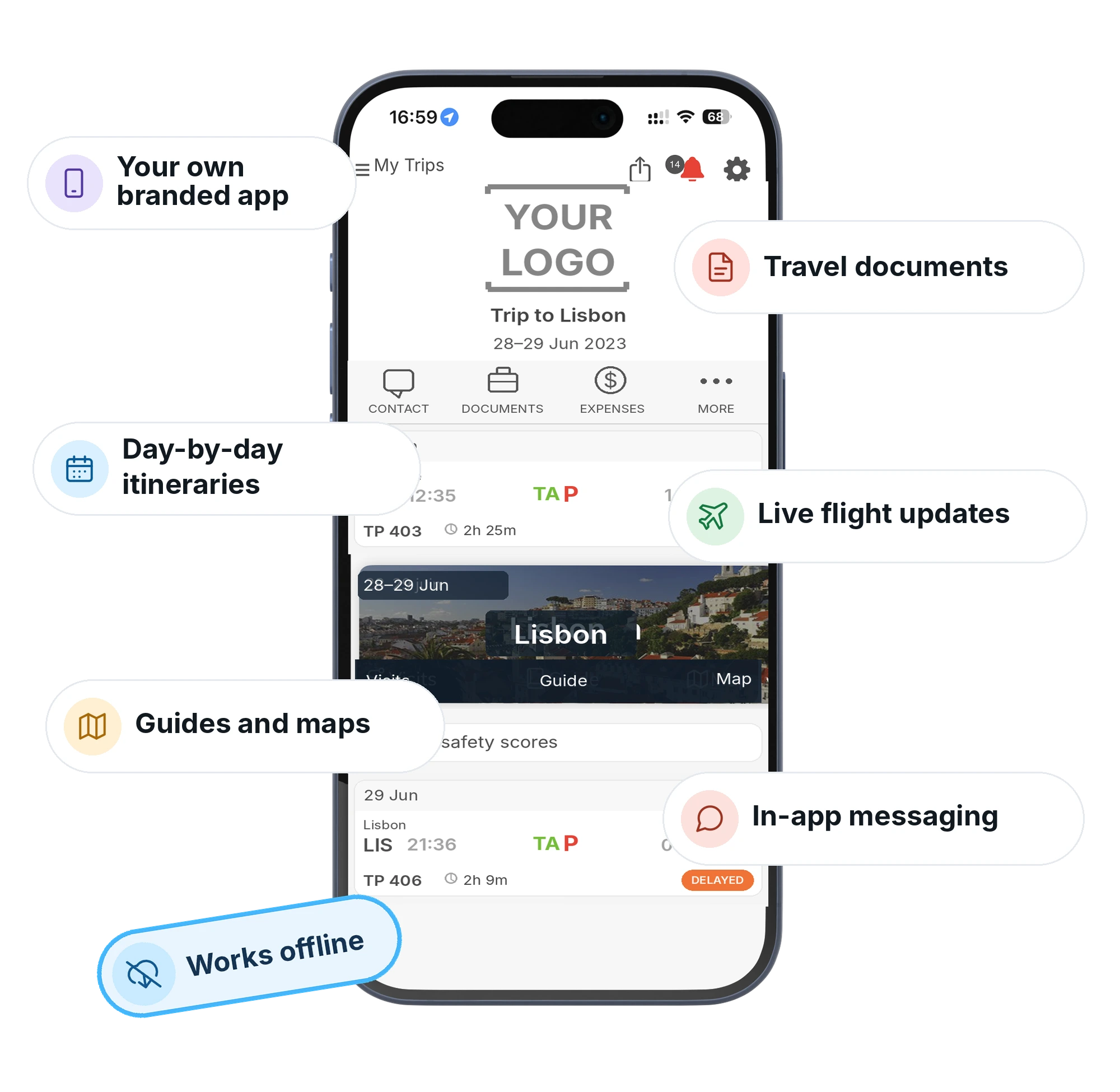
Launch your own branded app for travel agency and tour operator businesses, fully white-label and published on the App Store and Google Play with mTrip, for independent trips and group tours. Travelers get itineraries, destination guides, documents, and live flight updates on iOS and Android, offline and in 9 languages.
Trusted by 300+ travel companies across 35+ countries









- Countries
- 35+
- Founded
- 2009
- Travel Brands
- 300+
- Trips Managed/year
- 4M+
- Rated on G2
- 4.9/5
Travel brands powered by mTrip’s integrated platform
- Globus, world-leading tour operator using mTrip’s Itinerary Builder and Mobile App platform
- Abercrombie & Kent, luxury travel company using mTrip’s tailor-made itinerary and mobile app platform
- Collette, North America’s oldest guided tour operator using mTrip’s Itinerary Builder and Mobile App
- ACIS, premier educational travel operator for student groups using mTrip’s integrated travel technology platform
- Exo Travel, specialist Asia tour operator using mTrip’s Itinerary Builder and Mobile App
- XL Travel, leading travel agency group using mTrip’s integrated mobile and itinerary platform
- AAA, one of the largest leisure travel agencies in North America using mTrip’s white-label travel app and itinerary builder
- Kontiki, Swiss tour operator using mTrip’s integrated itinerary and mobile app modules
- Enchanting Travels, luxury custom travel company using mTrip’s tailor-made itinerary and mobile app platform
See it in action
Your branded app, in one minute
A quick tour of the white-label app your travelers get under your name.
Why travel brands choose mTrip
A branded travel app for every stage of the trip
Give travelers one place to find their itinerary, documents, and your team, from booking to the journey home.
Your brand, your features
Your white-label app is published on the App Store and Google Play under your name, icon and developer accounts. Switch features on or off to fit your trips.
Works offline
mTrip’s app loads itineraries, documents (vouchers, e-tickets), 3,600+ destination guides, and maps that show the traveler’s GPS location, all with zero connectivity. No roaming, no problem.
Real-time flight & trip data
mTrip’s app sends gate changes, delays, baggage updates and cancellations to the traveler’s phone in real time.
Two-way messaging, in-app
No personal numbers to track down. Travelers reach your team in the app, and every reply stays on record.
Inside the app
Everything travelers need, from first plan to final journal
Trip Types
One app for every kind of trip
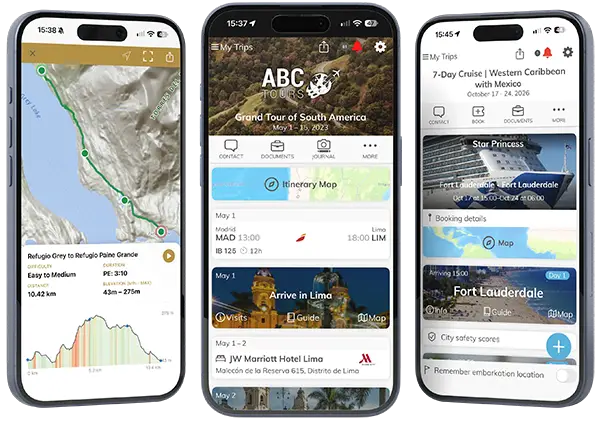
- FIT and independent travel: AI-generated daily plans from Trip Genius™
- Group and escorted tours: tour leader messaging and live day management
- Cruises: ship tracking, shore excursions, port guides
- Theme parks: 90+ dynamic park guides
- Adventure travel: offline routes for hiking, cycling, and watersports, with elevation profiles and topographic maps
Daily Program
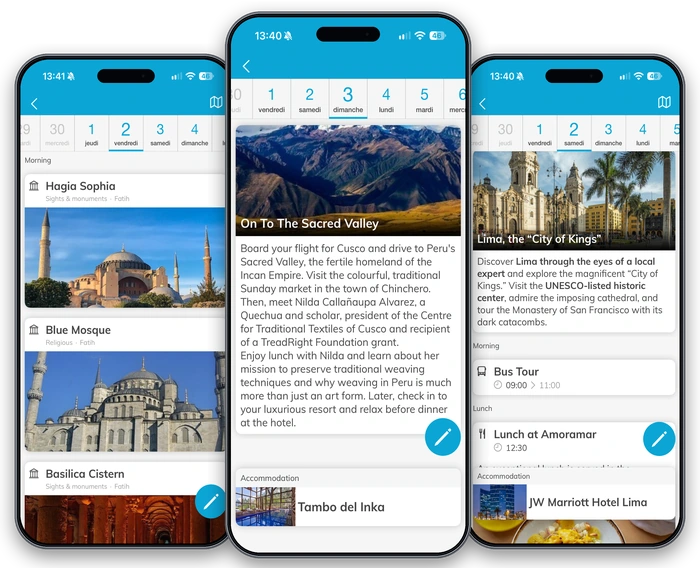
A clear program for every day of the trip
Travelers open your app and see what the day holds, shaped to the kind of trip they booked.
- Independent travelers. Trip Genius™ suggests daily plans from traveler preferences and location.
- Tours. A detailed day-by-day program, with tour leader messages when the day’s schedule changes.
- Cruises. Each port of call on the itinerary, with port guides, a map, and the schedule of arrival and departure at each port.
Guides, Maps & Travel Tools
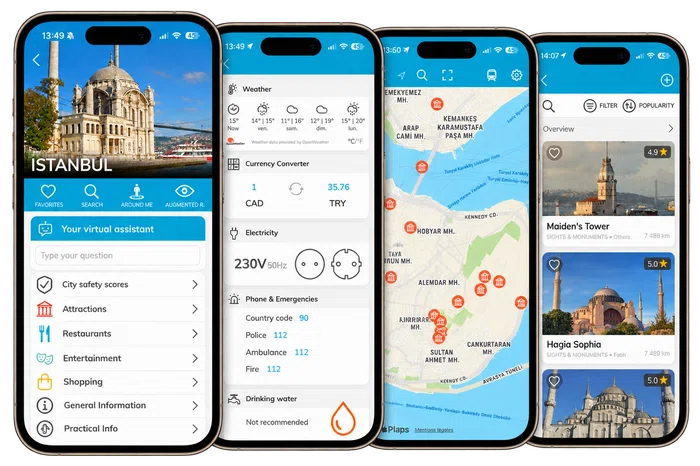
Guides, maps, and trip details at hand
- A notification the moment check-in opens for each flight, with online check-in links and the airline’s baggage policy, so no one misses the window
- 3,600+ offline destination guides with AI-curated restaurant and attraction picks
- An AI virtual assistant in the app where travelers ask questions about their destination and get up-to-date advice
- Offline maps with GPS navigation, visa requirements, live weather, a built-in currency converter, travel expenses, airport wait times, translator, tips, and much more
Engagement
A direct connection to your team
- Travelers reach your team by phone, WhatsApp, SMS, email, your website, or in-app messaging, and you switch each method on or off
- Two-way in-app messaging connected to email, Zendesk, Missive, or Genesys
- Contextual notifications triggered by time, location, or booking stage
- Every conversation stays tied to the traveler’s trip, so your team has full context without searching
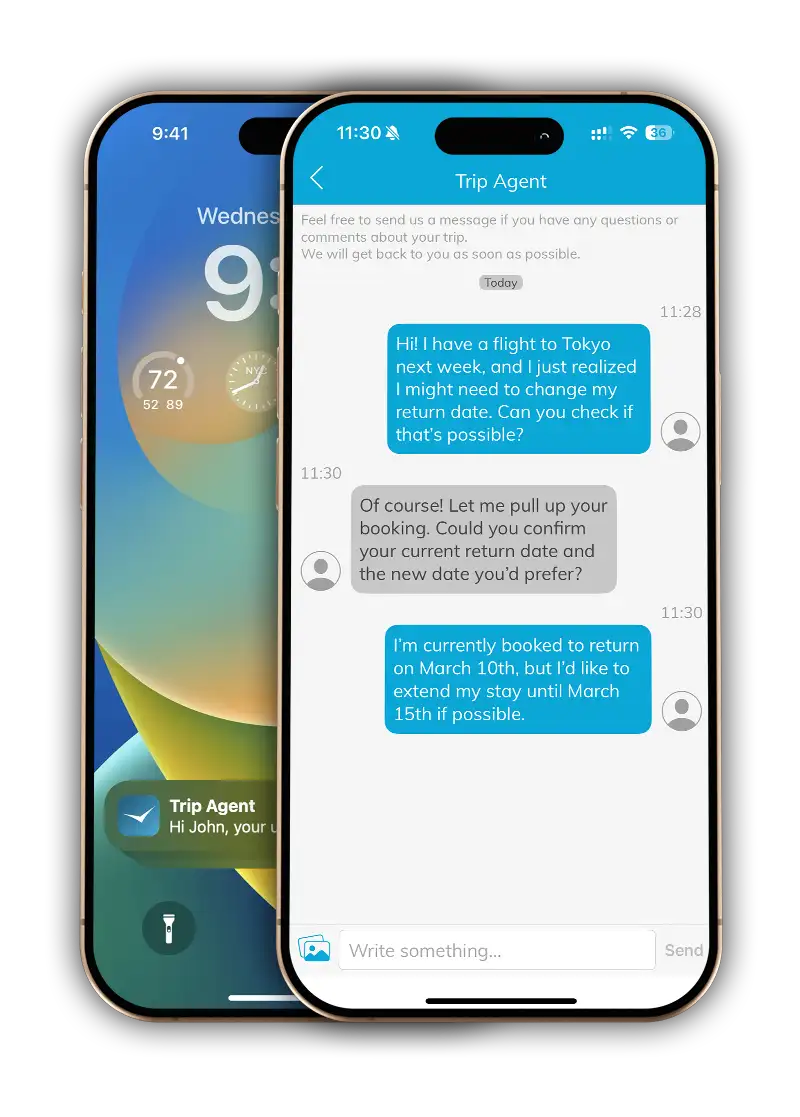
Flight & Destination Alerts
Real-time flight updates and destination alerts
Travelers receive automatic alerts for flight delays, gate changes, and cancellations in your branded app.
If your agency or tour operator adds the optional risk management service, travelers also receive alerts about events ranging from local protests to critical incidents. Only travelers at the affected destination or about to depart for it receive these alerts.
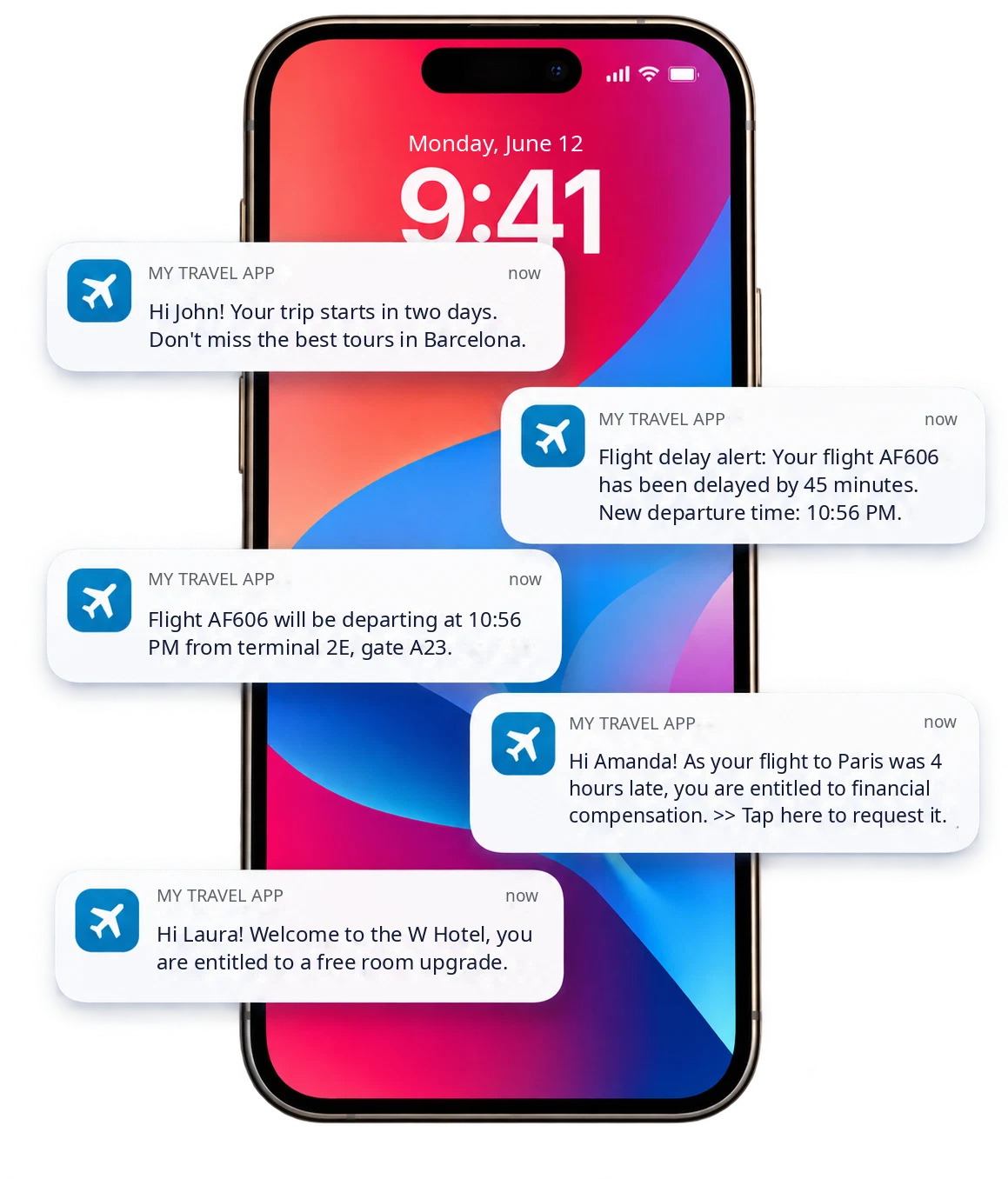
Digital Wallet
Every travel document in one wallet
Vouchers, e-tickets, confirmations, and invoices live in the traveler’s app instead of an inbox. Each document sits on the booking it belongs to, so travelers find it when they need it.
- Linked to each booking. Every flight, hotel, transfer, and activity carries its own e-ticket, voucher, or confirmation.
- Insurance and visa documents. They stay with the traveler, next to the trip.
- Open offline. Downloaded documents work with no signal and no roaming.
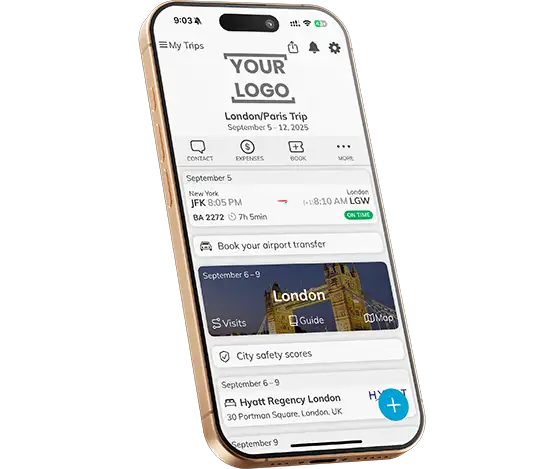
Group Travel
Group chat and tour leader tools
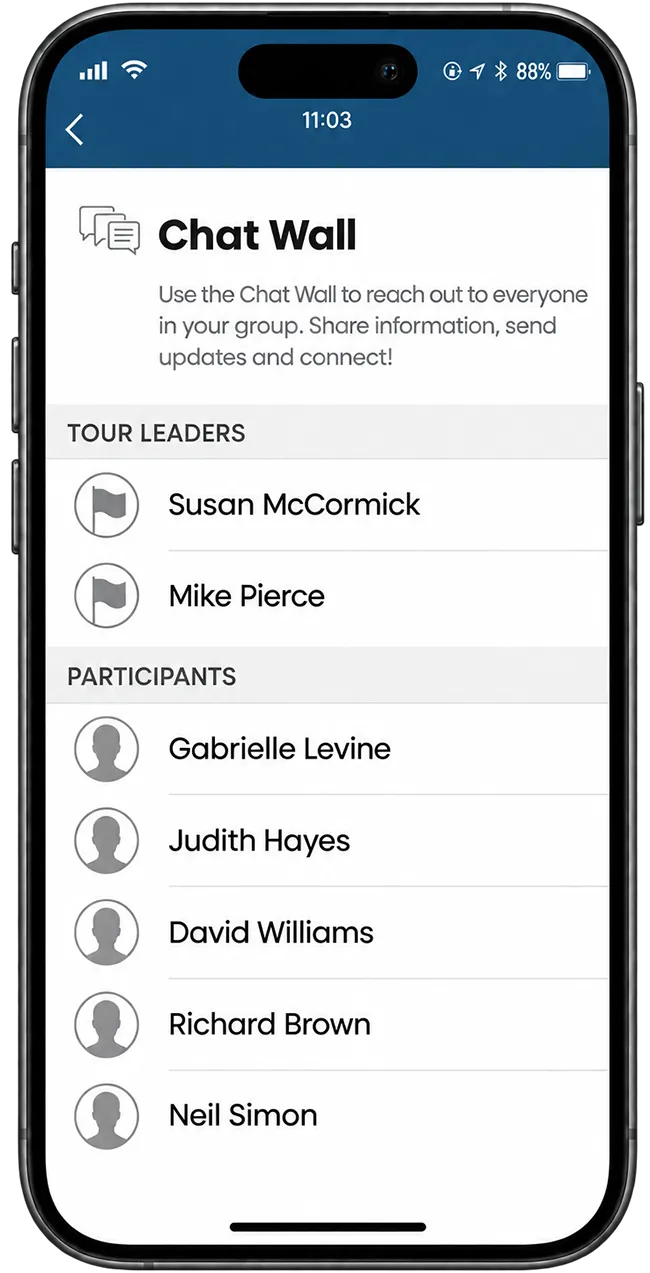
Give your travelers a shared space to connect throughout their group trip. Participants can chat with each other and their tour leader, if one accompanies the group, exchange photos, and contribute messages and pictures to a group wall.
Tour leaders can send important information to all participants, such as a new meeting point or a change to the day’s schedule. They can also use traveler location tracking to help locate a participant who encounters a problem. Our group tour itinerary management guide covers the full workflow.
Trip Journal
A trip journal to keep and share
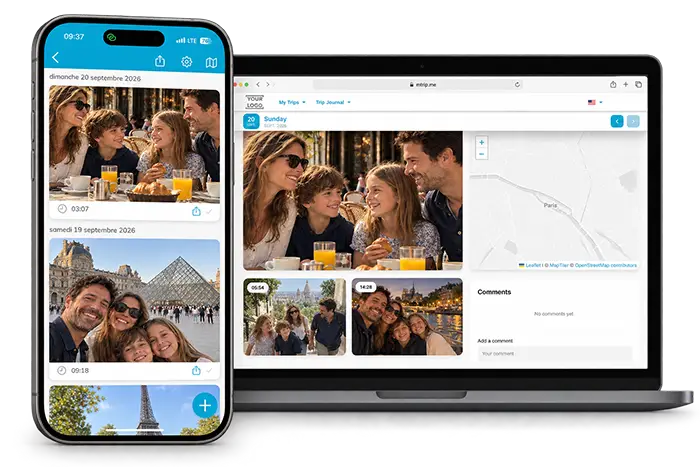
Give travelers a place to record their experiences within your branded app. They can add location-tagged photos and notes along the way, keeping the places and moments they want to remember.
- Capture memories along the way. Travelers can combine photos with notes about a visit, a meal, or a day’s adventure.
- Keep the location with the memory. Location-tagged pictures help travelers remember where they took each photo.
- Share the journey. Travelers can share their online journal with friends and family during the trip or after returning home.
- Take home a keepsake. They can export their journal as a PDF to save alongside their travel photos.
For your agency or tour operator, the journal gives travelers another reason to use your app throughout their trip and revisit it afterward.

System Connections
Integrations & data import
mTrip connects directly to the systems your team already uses. When a booking is confirmed in your GDS, mid-office, or back-office, the itinerary is automatically built and delivered to the traveler’s app.
- Booking engines, GDS (Amadeus, Sabre and Travelport) and mid-offices like Tourplan, Juniper, Moonstride, Viaxoft, Ezus, IGA, MB3M, and more
- No-code automation through Zapier
- Import itineraries from your own systems through the mTrip API
- Vendor booking confirmations parsed automatically, no manual re-entry
Customization
Your travel agency app or tour operator app, customized for your brand
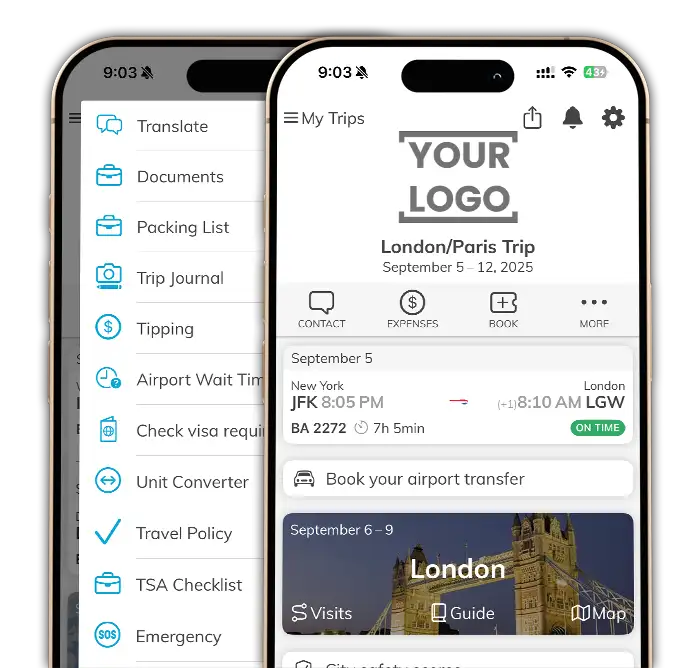
With the full white-label solution, your agency or tour operator owns its Apple and Google developer accounts and controls its app identity. Configure the traveler features and content each brand needs. For requirements beyond configuration, mTrip’s in-house team offers custom development on request, with scope and pricing agreed for your project.
Every touchpoint, your brand
- Native iOS and Android apps and your web itinerary, all under one identity
- Icon, login screen, colors, welcome screens, and header graphics set per brand
- Web itinerary portal runs on your own domain, with SSL included
- Manage multiple brands or separate leisure and business experiences from one admin portal
Every feature, your choice
- 17+ features, trip journal, tipping guide, packing lists, tour leader tools, and more, switched on or off per account
- 20+ partner integrations enabled individually, from ride-hailing to eSIM to restaurant bookings
- Build your own custom features and content blocks, no coding required
- Layout adapts automatically to FIT, group, or cruise trips, no manual setup
Built for however you sell travel
Built for travel agencies, tour operators and DMCs
Choose the experience that fits your travelers. Configure features for independent trips, escorted tours, outdoor routes, and destination programs.
For FIT and custom-itinerary agencies
Trip Genius™ and day-by-day itinerary tools are on.
- Online check-in and real-time flight update alerts, plus accommodation and transport booking details, all in one place
- Offline access to e-tickets and vouchers, plus in-app booking of tours and activities for a second revenue line
For group departures and escorted tours
Tour Leader tools and group messaging are on. Travelers open a day-by-day program with their offline documents already in the app.
- Tour Leader tools push group messages, share live location, and manage the day in real time
- Bookable optional activities with ratings, right inside the itinerary
- Automated itinerary delivery cuts the manual work your ops team does per departure
- Pre- and post-tour participant management, from group rosters before departure to follow-up after the trip ends
For adventure and outdoor tour operators
GPX route import and live, offline tracking are on. Travelers see their exact position on the trail, not a static day-by-day schedule.
- Works offline once downloaded, so it holds up in the mountains, forests, and anywhere without signal
- Built for hiking, cycling, mountaineering, water sports, and winter sports, any activity with a GPS trace
For destination management companies
Each client brand gets its own configuration, FIT tools for one program, group tools for another, from a single admin portal.
- Run ground programs for dozens of partner agencies and tour operators from one back office
- Push transfer changes, local guide details, and last-minute updates through the same in-app messaging travelers already use
- Each partner’s travelers see that partner’s brand, never yours, even though you’re running the trip behind the scenes
More to explore
More features for your travel agency app or tour operator app
Explore more features for the trips your agency or tour operator sells.
Cruises
Shore excursion booking and a live ship-position tracker travelers can check from their cabin.
90+ Theme Park Guides
Dynamic park maps with real-time ride wait times and show schedules, for agencies and tour operators selling theme park holidays.
Live Route Tracking (GPX)
Import a GPX file and travelers get a live, moving topographic map with elevation profile and every waypoint you’ve added, fully offline.
Contextual Notifications
Rules push transfer reminders and activity suggestions to phone, tablet, or smartwatch at the right moment. Learn how to automate client communication for your agency.
9 Languages
The app and web itinerary meet travelers in their own language, out of the box.
Augmented Reality Discovery
Point the camera at a street or landmark to see AR overlays and nearby recommendations, layered on top of the offline destination guides.
Interactive Airport Maps
Terminal maps travelers can navigate in real time, alongside gate info and online check-in links, no more wandering to find a gate.
Every Way to Get There
Beyond flights: train, car rental, private jet, ferry, and shuttle details all live in the same itinerary, not a separate confirmation email.
Share the Trip in One Tap
Travelers forward their itinerary by email, text, or social media straight from the app, no separate export step.
Validated by Travelers
Trip Agent Travel Assistant is rated 4.9/5 from 393 ratings on the US App Store. These ratings apply to the Trip Agent iOS app, not to every separately published white-label app. View the App Store listing.
- ★★★★★
- from 396 verified reviews
App is awesome!
Love this app for my trip! So functional and beats having to carry all the information on papers.
Great!
Love having itinerary / schedule handy. Detailed are important.
Everything about my trip on one place. 👍👍
An awesome application for the upcoming information.
Easy to use!! So easy to use and very detailed!
Great Travel Guide
An easy to understand guide to keep your travel itinerary at the ready! It is set up as a day by day overview but you can click on specific items to get more detailed information and it’s all right at your fingertips! It was a huge help during our recent trip to Greece and I’m still referring to it to recall the details of my numerous photos. Love it!
Handy itinerary
I love how easy it has been to reference our itinerary for our Japan trip. Easy to scroll through and all the information provided by our trip agents helps us daily.

Very good, always up to date. Everything in one app.
Very accurate and clear
Travel details concise and all in one place. Perfect for international travel.
Client Trust
What do travel companies say about mTrip?
Agencies using mTrip report up to 70% less time spent distributing trip information to travelers.
mTrip is more than a digital tool, like a Kontiki expert in every traveler’s pocket.

We’ve used mTrip for 2 years and highly recommend it. Our clients love it.

Thanks for being a great partner! Watch video

It would’ve been a longer, costlier launch without mTrip. A great product for our needs.

Awards and recognition
 Phocuswright Innovator
 Best Mobile Travel Solution, EyeforTravel
 Webby Award
 ACTE Global Award
Member of
 USTOA
USTOA Advantage Travel Partnership
 ETOA
ETOA GBTA
GBTA ATTA
ATTAAs Featured In


Getting started
Two ways to launch your travel agency app or tour operator app
Launch your own white-label app under your company’s name, or start with Trip Agent, a shared app with your logo and colors.
GET
White-Label Platform
Your own app, your name
Around 2 to 3 weeks · published under your own developer account
- Fully independent listing on the App Store and Google Play
- Your own platform, no mTrip branding anywhere
- Dedicated CSM guides onboarding end to end
GET
Trip Agent
Start after your demo
Same-day access after your demo. No setup or implementation required.
- Your logo and brand colors inside the Trip Agent app
- Lower-cost entry point for agencies and tour operators who want to move now
- Full itinerary, offline guides, and messaging from day one
Why not just send a PDF, or use another app
Compare the depth of your traveler app
mTrip combines a white-label app published under your name with configurable traveler features, offline destination content, and custom development. Compare what you can deliver to travelers, from everyday trip updates to guided groups and outdoor routes.
| Capability | PDF / email itinerary | What other travel apps offer | What you get with mTrip |
|---|---|---|---|
| Published under your own branded | Yes | Agency branding in a shared app, or a branded version of the provider’s app. | Your own app identity. Full white-label app under your company name and developer accounts. |
| Library of features you can turn on or off per account | No | Branding and content settings; extra modules may be paid add-ons. | 17+ traveler features you can switch on or off per account. |
| Custom feature development available | No | APIs and integrations; bespoke modules may involve an external development partner. | mTrip’s in-house development team can build features scoped to your needs. |
| 3,600+ offline destination guides included | No | Destination content varies by provider. AXUS offers travel42 guides. | 3,600+ destination guides included, ready to download for offline use. |
| Two-way in-app messaging | No, separate call or email | Also available with Travefy, AXUS and Vamoos. | Direct traveler communication in the same app as their itinerary and documents. |
| Updates automatically when something changes | No, has to be resent | Also available. Travelers need a connection to receive changes. | Publish changes to the traveler’s app without resending a PDF. Updates arrive when connected. |
| Real-time flight alerts | No | Also available, including Travefy’s flight notifications. | Automatic alerts for delays, gate changes and cancellations. |
| Tour leader & group management tools | No | Group notifications and, with some providers, custom group-chat modules. | Built-in group tools: chat, photo sharing, tour-leader announcements and traveler location support. |
| Live offline route tracking (GPX import) | No | Some providers offer offline maps and route notes, including Vamoos. | Follow imported GPX routes offline with live device location, elevation profiles and waypoints. |
| Readable offline once downloaded | Yes | Offline trip access is also available with Travefy and Vamoos. | Itineraries, documents, guides and maps available after download. |
Comparison uses published examples from Travefy, AXUS and Vamoos, reviewed 23 September 2026. Features and plans vary by provider. mTrip’s standalone app requires the full white-label offer; custom development is scoped separately.
Comparing platforms by name? See how mTrip stacks up against Travefy →
Build or buy
Could you build your own travel app with AI?
You could build a first version faster than ever. Owning it is a different job: the real work starts once travelers depend on it.
Security: it’s on you
Your app holds traveler names, documents and locations. In Veracode’s Spring 2026 tests, 45% of AI coding tasks introduced a known security flaw, so every release needs review, testing and patching.
Maintenance: it never stops
Apple and Google raise their requirements every year, operating systems and devices change, and bug fixes keep coming. Every connection to your mid-office, booking tools, flight alerts and destination content has to be kept working too.
Stability: it can’t fail mid-trip
Travelers open the app at the airport, at 2am, offline in the mountains. It has to stay fast and reliable at peak season, on every device. mTrip handles 4M+ trips a year.
Read the full build vs. buy guide, including when building is the right call →
Questions travel brands ask
Frequently asked questions
About mTrip
What is a travel agency app or tour operator app, and how is mTrip’s different from a generic trip planner?
A travel agency app delivers itineraries, documents, and updates to travelers on their phones. mTrip offers two branding options: Trip Agent applies your logo and colors inside a shared app, while the full white-label solution provides your own app-store identity under your developer accounts. Agencies, tour operators, and DMCs can configure the traveler experience and request custom development.
How is mTrip different from just emailing a PDF itinerary?
An emailed or downloaded PDF is a snapshot of the trip. The app can receive itinerary changes, flight updates, and messages when connected, while previously downloaded itineraries, documents, guides, and maps remain accessible offline. If you also send a PDF, regenerate and share that copy after relevant changes.
Why is mTrip considered one of the best travel apps for agencies and tour operators?
mTrip is a strong fit for agencies and tour operators that need their own app identity, configurable traveler features, and bespoke development alongside itineraries, offline documents, guides, flight alerts, and messaging. Read the traveler reviews on this page and compare the actual scope of branding and configuration. Our best travel agency apps comparison covers the wider choice of platforms.
Features & compatibility
Can the app be customized for FIT, group tours, cruises, and multi-day programs?
Yes. The app automatically adapts its layout to the trip type: independent travel, escorted tours, cruises, or theme parks. Every account can also brand and configure features differently per client or program.
Does the app work with my existing booking system?
From your existing booking workflow. Once an itinerary is built in mTrip, whether typed in, imported, or pulled from your GDS or mid-office, it appears in the traveler’s app automatically. There’s no separate upload step. See the itinerary builder for how that data gets in.
Do travelers need an internet connection to use it?
Travelers can use previously downloaded itineraries, documents, destination guides, and maps offline. Download the relevant trip content before departure. New messages, live flight alerts, and changed itinerary information require a connection to arrive.
Flight & schedule changes
Does the app notify travelers automatically when their flight changes?
Yes. When a flight in the itinerary is delayed, cancelled, or changes gate, the traveler gets a push notification in your branded app. You don’t send anything by hand. Travelers need a connection to receive the alert.
What happens when an airline changes a flight schedule?
The traveler is notified and the itinerary in their app updates itself with the new flight details. They see the change on their phone without waiting for you to reissue a document.
Do travel agents get notified of flight changes too?
Alerts go to the traveler. mTrip does not send a separate flight-change alert to the agent. Travelers see the update immediately, so they don’t have to wait for you to forward it.
Which flights does mTrip monitor?
mTrip monitors the flights that are in the traveler’s itinerary. Add them by typing them in, importing them, or pulling them from your GDS or mid-office, and they appear in the app and are tracked from there. Flights that are not in the itinerary are not tracked.
Getting started
How long does it take to launch?
Trip Agent requires no setup, implementation or separate app-store submission. After a demo with mTrip to understand your needs, you can start the same day. Full white-label implementation typically takes around 2 to 3 weeks, depending on configuration, integrations, and app-store requirements. Custom development may extend the timeline.
What’s included in onboarding?
Full white-label onboarding includes app configuration and app-store preparation with your Customer Success contact. Agree the training, integrations, and testing scope for your project. Support depends on your chosen plan.
Branding & customization
Is mTrip built for small boutique agencies, or only large tour operators?
Both. mTrip serves agencies of every size, from small boutique agencies to agency teams, tour operators, DMCs, TMCs, and large travel organizations. Choose Trip Agent for shared-app branding, or the full white-label solution for your own app identity and deeper customization.
Can we manage multiple brands from one account?
Yes. mTrip supports multiple brands with distinct branding, features, and configurations. Agree the number of brands, apps, and account structure during setup so the implementation matches your organization.
What branding and configuration options are available?
Everything travelers see is set per brand, from the app icon to the login screen, and a self-service dashboard lets you switch features on or off yourselves. The web itinerary portal can run on your own domain with SSL.
Can I choose which features travelers see?
Yes. Trip journal, tipping guide, tour leader tools, and more can each be switched on or off per account, so every brand shows travelers only what’s relevant to their trips.
Does mTrip support custom integrations beyond the standard setup?
Yes. API/SDK access, SSO with your existing systems, deep links, and bespoke feature development are available for teams that need the app tailored beyond the standard configuration.
Security & data
How does mTrip protect my travelers’ data?
mTrip handles traveler data in line with GDPR and is registered with the UK Information Commissioner’s Office (ICO). The platform runs on AWS, and data is encrypted in transit and at rest. mTrip was penetration-tested in 2026 and documents 48 security controls covering access, encryption, incident response, backup, and disaster recovery. Policies, the penetration test summary, and the list of subprocessors are in the Trust Center.
Pricing
How does pricing work?
mTrip pricing depends on itinerary volume, modules, and implementation scope. The full white-label solution has a setup fee plus a monthly fee; bespoke development is scoped and priced separately. Trip Agent provides a lower-cost entry option using a shared app. A free trial is available after a demo. See the plan comparison or request a quote for your requirements.
Put your brand where your travelers already are
Join 300+ travel brands running their traveler experience on mTrip. See the app and your own branding live in a 30-minute call.
Explore the app, branding options, and setup with our team.