
Business travel guide
Traveler tracking: close the gaps in your business travel program
Better visibility starts with complete trip information, clear communication, and an understanding of what each tracking method can tell you.
The challenge at a glance
Traveler tracking helps travel managers understand where employees are expected to be and, where location sharing is enabled, where their devices report them to be. App adoption, bookings outside the corporate program, and unreported changes can all leave gaps in that picture.
Understand the data
PNR and GPS answer different questions
Itinerary / PNR data
Where is the traveler expected to be?
A Passenger Name Record, or PNR, contains booking information. Flights, hotels, and other itinerary details help infer a traveler’s planned location. This approach does not require the traveler to install a mobile app.
Its usefulness depends on the completeness and freshness of the itinerary. A booking alone does not confirm that a traveler followed the plan.
GPS / mobile app
What location does the device report?
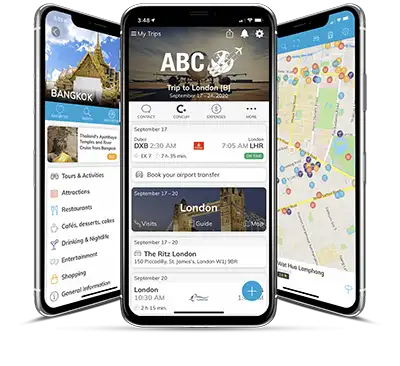
App-based location sharing adds a device location to the picture. In mTrip, GPS sharing is opt-in and controlled by the traveler.
App adoption and location permissions matter for this method. Managers should distinguish device location from a location inferred from bookings.
Three gaps to address
Make visibility part of the workflow
01
Explain the app
Make its everyday value and location-sharing choices clear.
02
Capture the whole trip
Give travelers a way to report bookings made outside the program.
03
Keep plans current
Make changes and cancellations easy to communicate.
01 / App adoption
Build trust before asking travelers to share location
Travelers may hesitate to install another app or share their location. Explain how the app supports the trip and what choices they have, rather than treating adoption as a download target.
- Show useful everyday features, such as itineraries and travel documents.
- Explain what location information is shared, who can access it, and how sharing is controlled.
- Provide simple setup guidance and a clear support contact.
- Keep itinerary-based coverage available for travelers who do not use GPS sharing.

02 / Off-program bookings
Bring bookings outside the program into view
A booking made on a consumer website may be missing from the organization’s travel systems. It can leave part of a journey invisible to the travel team, even when the main trip is recorded.
- Provide a clear route for submitting booking confirmations.
- Identify which external booking information can be imported and which needs manual entry.
- Explain why sharing the complete itinerary helps the team support travelers.
- Check the full journey, including independently booked hotels or side trips.
mTrip’s traveler tracking solution supports manually adding bookings made outside the main booking engine. Confirm the data sources and workflow for your program.
03 / Changed plans
A booking is not proof that the trip happened
A traveler may postpone departure, change hotels, cancel a meeting, or decide not to travel. If the itinerary stays unchanged, the travel team may be working from an inaccurate plan.
- Make it easy to report changes through a known contact or process.
- Use pre-departure communication to prompt travelers to flag updates.
- Record cancellations and changes in the systems used for tracking.
- When responding to an incident, confirm the traveler’s situation rather than relying only on the booked itinerary.
Put it into practice
Review the gaps with your travel team
Use a representative trip to check where booking data comes from, how outside bookings are added, and who handles last-minute changes.
01
Identify the source of each location
Distinguish itinerary-based estimates from GPS information.
02
Test the exception process
Walk through an outside booking, a cancellation, and a changed hotel.
03
Make communication easy
Ensure travelers know how to update plans and contact the team.
A note on scope: mTrip combines GPS and itinerary-based tracking in its traveler tracking offering. Tracking and risk management are optional paid capabilities; discuss the scope for your program with the mTrip team.
Get a clearer view of your travelers
Explore tracking options and how they fit your corporate travel workflow.